From a letter to a notebook
Connect your own letters and prayers you have embraced. Open your island house to keep prayers by topic and add dated reflections, changes of heart, and small answers.
 Hold a prayer in your heart한국어
A little sea between two hearts
A little sea. A caring heart. Someone Prays.
Put the feelings you find hard to say into a letter.
Somewhere, someone can hold your prayer in their heart.
An easier sign-in. The same anonymous letters.
Take a little look around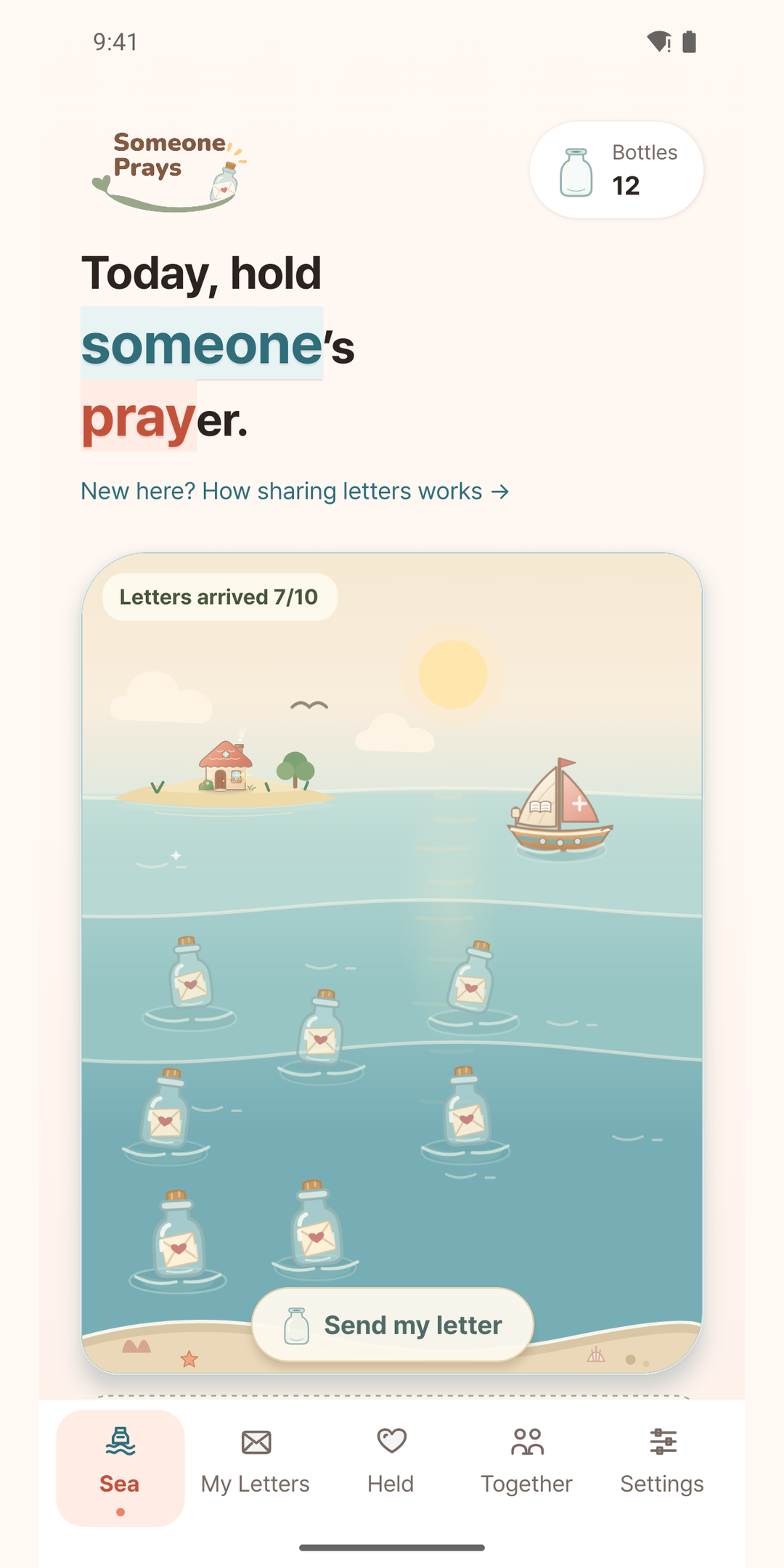
A little prayer. A little connection.
An actual app preview
01 / A LETTER, A CONNECTION
Share a prayer, quietly and anonymously.
Someone Prays is a gentle place to pray for one another.
Your words don’t have to be perfect. Put today’s prayer into a little letter.
Your prayer travels in a bottle to someone else’s sea.
Read a letter and pray. Send a little emoji of support and share updates along the way.
I feel a little nervous about a new beginning. Please give me the courage to start with one small thing I can do today.
A small beginning, shared in prayer
I’ll hold this prayer in my heart
02 / YOUR LITTLE EVERYDAY
Actual screenshots from the app. Some details may change as the app is updated.
Prayer notebook
Connect your own letters and prayers you have embraced. Open your island house to keep prayers by topic and add dated reflections, changes of heart, and small answers.
Organize prayers into Praying, Answers & gratitude, and Kept prayers. Revisit a prayer today, or search for a moment you want to remember.
Open the little Scripture boat for a Bible verse to carry into your day.
Pause for a moment and give your attention to a prayer you’ve embraced.
03 / A FEW LITTLE ANSWERS
Let’s make this a space of care and respect.
Tap your house on the little island to open your notebook. Organize prayers by topic and use Write today to continue their story. Your daily feelings and past entries will still be available inside the notebook.
Your notebook and dated entries are private. Sharing your own note as a prayer letter copies only its title and body into the composer. Journal entries stay private, and editing a note does not change letters already sent.
Yes. Choose the preview option on the sign-in screen to try the main features. Sign in when you’re ready to exchange real letters and save your records.
Use Google, Kakao, or email. Sign in with Apple is also available on iPhone. If you sign up with email, complete email verification.
Sign in to your existing account first, then open Settings → Connected sign-ins to add a login method. Your letters and island stay with that account.
Write a prayer and send it out to sea for someone else to receive. Open a letter in your own sea and hold its prayer in your heart. You can return to the letters you’ve embraced and keep praying for them.
Even with social sign-in, your name, profile photo, and email are not shown to other users. Sharing your country is optional. Please avoid writing your name or contact details in the letter itself.
You can send an emoji to show your care and support. The person who wrote the prayer can also share an update about what happened afterward.
No. These letters are for you. They stay unreadable until your chosen date, then you can open them from the sea or your future-letter box.
Hide the letter to remove it from your list immediately, or block its author. Please report inappropriate content. If you need help, contact Support.
Download Someone Prays from the App Store for iPhone or Google Play for Android. The download buttons on this page take you to the right store.
SOMEONE PRAYS FOR YOU
May your own prayer reach a caring heart, too.